Days Since Tracker: The Complete Guide to Tracking How Long It's Been
A days since tracker is one of the simplest and most effective tools for staying on top of life. Not daily habits. Not to-do lists. Just one question: how long has it been?
Whether you want to track when you last changed the air filter, called a friend, or visited the dentist — a days since tracker gives you the answer at a glance.
What Is a Days Since Tracker?
A days since tracker (sometimes called a day counter, time since tracker, or "how long since" app) counts the number of days that have elapsed since you last did something. Tap a button when you do it, and the counter resets.
Unlike habit trackers that focus on streaks and daily check-ins, a days since tracker is designed for things that happen periodically — not every day, but often enough that you want to keep track.
💡 Days since vs. habit tracker
A habit tracker asks "Did you do this today?" A days since tracker asks "How long has it been?" These are different questions for different kinds of tracking. Many things in life — dentist visits, oil changes, catching up with friends — are periodic, not daily.
What Should You Track?
A days since tracker works for anything with a natural interval. Here are the most common categories:
Health
- Days since last dentist visit
- Days since last eye exam
- Days since last workout
- Days since last blood test
Social
- Days since you last called mum or dad
- Days since last catch-up with a specific friend
- Days since last date night
Home Maintenance
- Days since last air filter change
- Days since last deep clean
- Days since watering specific plants
- Days since last car service
Personal
- Days since last haircut
- Days since last journal entry
- Days since last creative project session
- Days since last digital detox
The Problem with Plain Number Lists
Most days since tracker apps show you a list of items with a number next to each one. "14 days." "47 days." "3 days."
This works, but it has a problem: numbers are hard to feel. Is 47 days a lot for calling your parents? Probably. Is it a lot for a dentist visit? Not at all. You have to mentally compare every number to your own internal target, for every item, every time you open the app.
This is why most people check their day counter once, nod, and close it. The information is accurate but not actionable at a glance.
A Better Way: Visual Days Since Tracking
What if instead of reading numbers, you could see time?
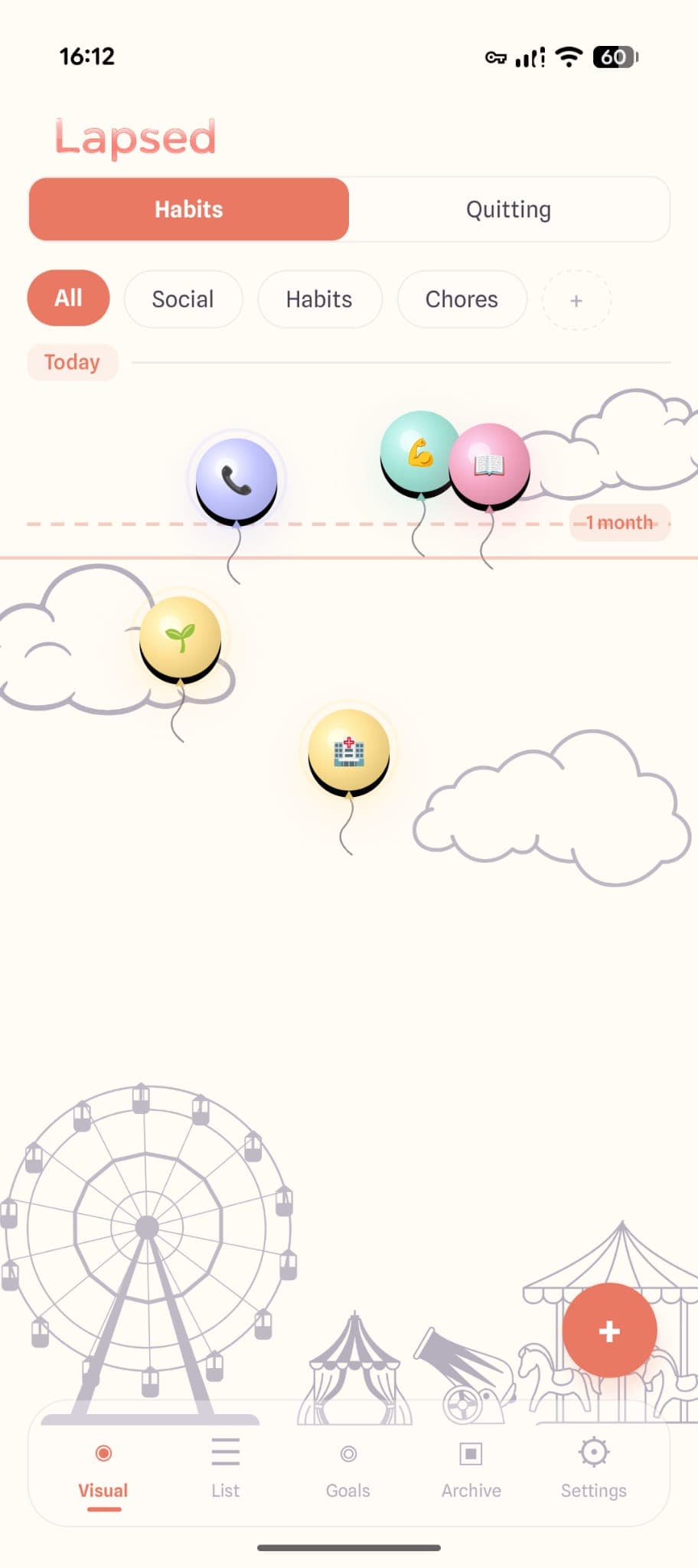
Lapsed is a days since tracker that replaces number lists with a visual canvas. Each item you track becomes a dot, balloon, or hot air balloon that drifts further from a line the longer it has been. A threshold line marks your target interval.
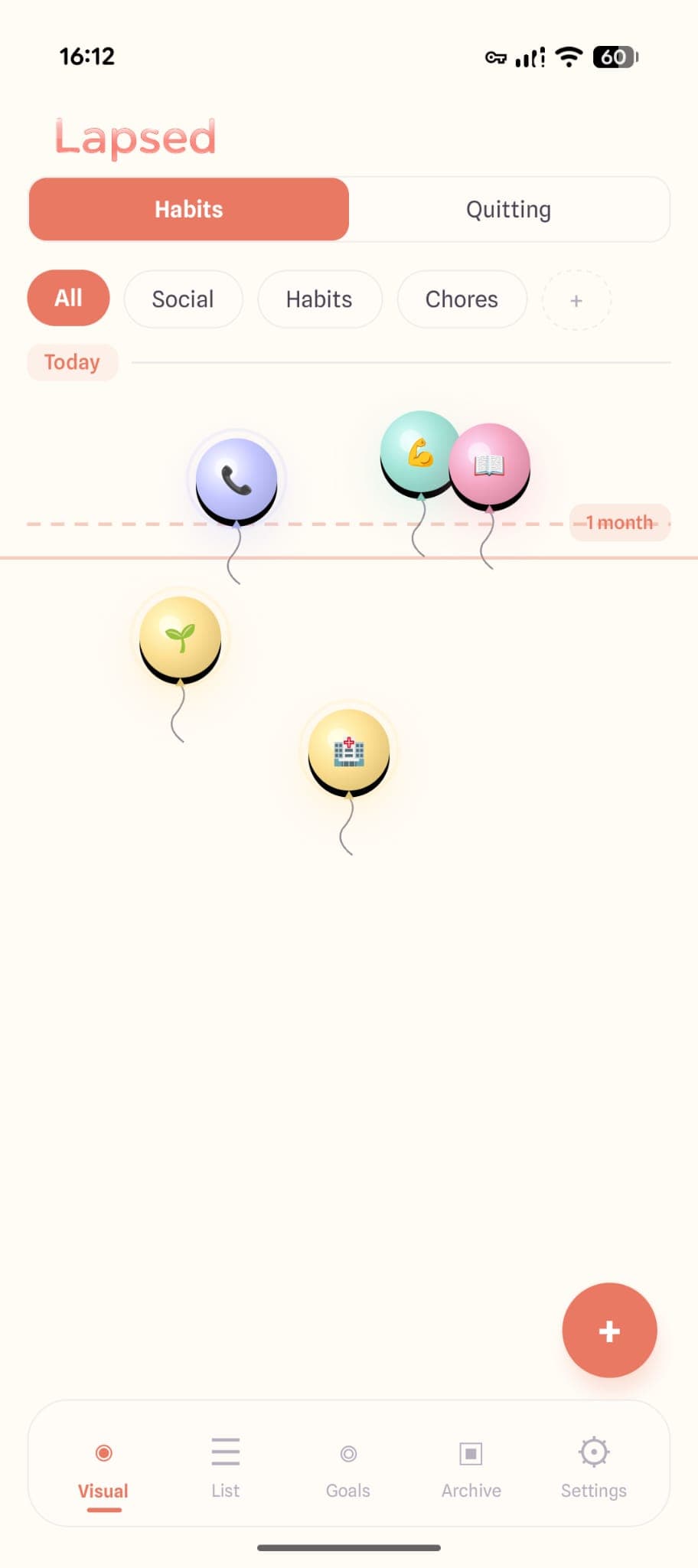
At a glance, you see:
- What needs attention — anything past the threshold line
- What is fine — anything close to today
- Which area of life is drifting — colour-coded categories make patterns obvious
No reading. No mental maths. Just a canvas that tells you everything in a second.
How to Get Started with a Days Since Tracker
Starting is simple:
- Pick 3-5 things you wish you did more consistently. Not daily habits — periodic things you tend to forget.
- Set a threshold for each one. How many days is too long between occurrences? 7 days for calling parents? 90 days for a dentist visit?
- Log each item when you do it. One tap resets the counter.
- Check your tracker once a day or once a week. The point is awareness, not obligation.
✨ Start small
The most common mistake is tracking too many things on day one. Start with 3-5 items that genuinely matter. You can always add more later.
Why a Days Since Tracker Works Better Than Reminders
You could just set reminders in your phone. But reminders have a problem: they fire at a specific time, whether you need them or not. A dentist reminder that goes off while you are in a meeting gets dismissed and forgotten.
A days since tracker is ambient awareness. It does not interrupt you. It is there when you choose to look, showing you the current state of everything at once. This pull-based approach respects your attention while keeping you informed.
Free Days Since Tracker Options
Most days since tracker apps offer a free tier:
- Lapsed — Free visual tracking with dots style, up to 3 items. Pro unlocks unlimited items, balloons, stats, and widgets.
- Days Since — Free card-based tracker with basic counter functionality.
- Day Counter — Free number-based counters with home screen widgets (Android).
The right choice depends on whether you want pure numbers or a visual experience that makes time tangible.
Track how long it has been — visually
Lapsed is a free days since tracker that turns elapsed time into a beautiful visual canvas. See your life at a glance.
Read our honest comparison of the best days since tracker apps for a detailed breakdown, or explore 10 things you should be tracking for inspiration on what to add.
The days since tracker that shows you time
Stop reading numbers. Start seeing time. Lapsed makes tracking beautiful, simple, and free.
Written by Lapsed
The beautiful days since tracker. Track your life visually.
Related Articles

Best Day Counter Apps in 2026: Track Days Since Anything
Looking for the best day counter app? We compare the top days-since tracker apps for iPhone and Android — from sobriety counters to visual habit trackers — with honest pros and cons for each.
Days Since Tracker vs Habit Tracker: Which Do You Actually Need?
The difference between a days since tracker and a habit tracker is more than semantics. One asks 'did you do it today?' while the other asks 'how long has it been?' Here is why most people need the latter.
When Did I Last...? The App That Answers Life's Most Forgotten Question
When did I last go to the dentist? Call mum? Change the sheets? A 'when did I last' tracker helps you stay on top of periodic tasks you keep forgetting. Here's how.